 BLP Workbench
 Dashboard
The dashboard is your home page. It shows the work assigned to you, how sales are going, projects coming due and anything that needs attention.
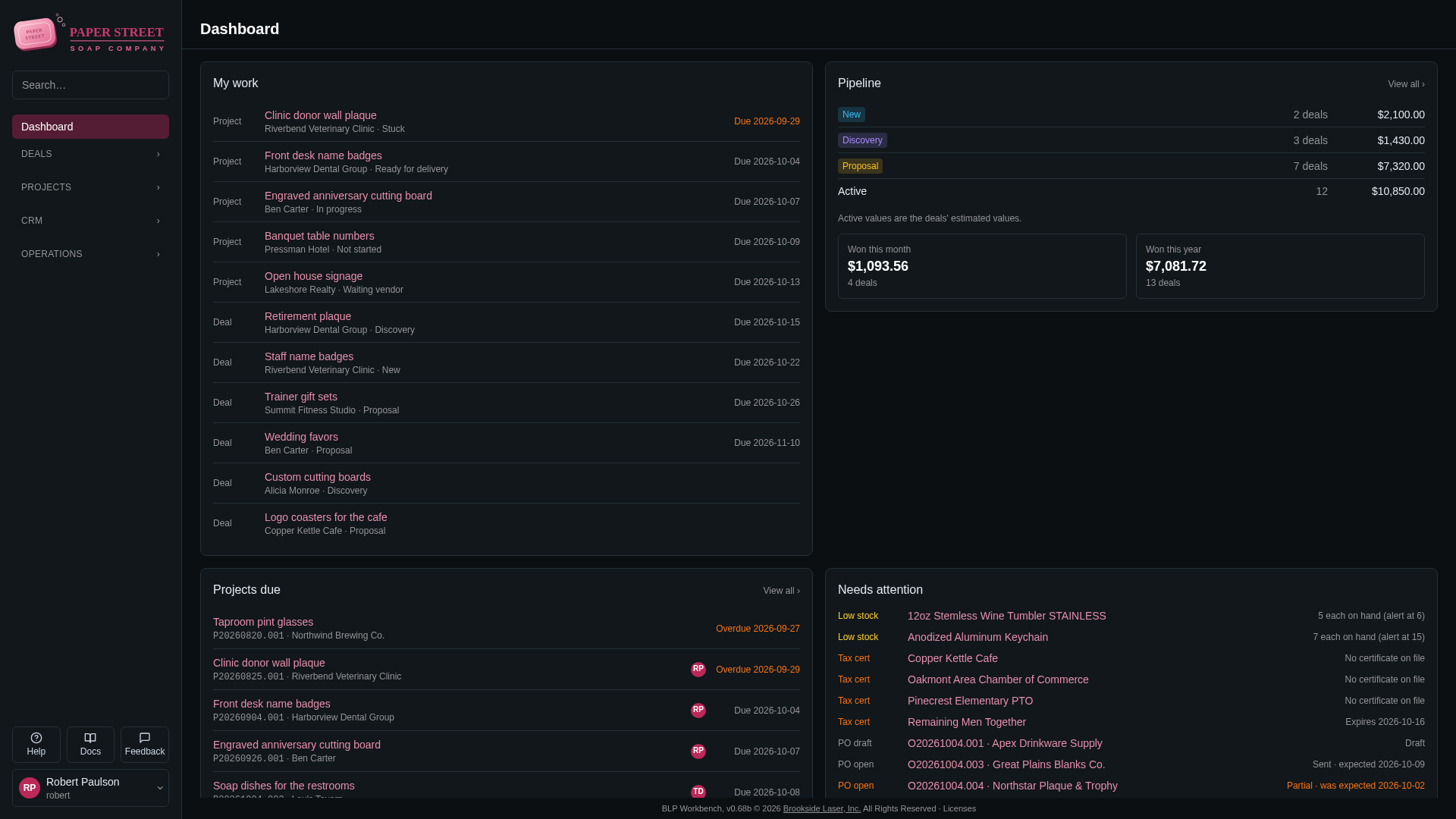
To open it, click Dashboard at the top of the sidebar. It also opens when you sign in.
My work
Lists the active deals and projects assigned to you. Overdue items come first, then the rest by due date, with undated items last. Each row shows whether it's a deal or a project, its company or contact, and its current stage or status. Due dates in the past are highlighted.
Click a title to open the deal or project. When nothing is assigned to you, the card says "Nothing is assigned to you."
To change who a deal or project is assigned to, see Assigning deals and Assigning projects.
Pipeline
Shows each active deal stage with the number of deals in it and their total estimated value, plus an Active total row. The values are the deals' Estimated value, so deals without an estimate count as zero.
Below the table:
- Won this month and Won this year: how many deals were won in that period and what they are worth. A won deal counts with its accepted quote's total, or its estimated value when it has no quote. Click either box to open the list of won deals.
View all › opens the deals board.
Projects due
Lists active projects that are overdue or due within the next 7 days, soonest first, with the assignee's initials. Overdue projects say Overdue and are highlighted. View all › opens the projects board.
"Today" follows the time zone set in Admin › Settings › Regional.
Needs attention
Collects things someone should look at:
- Low stock: items whose on-hand quantity is at or below their alert quantity (with the Inventory module). See Inventory.
- Tax cert: tax-exempt companies with no tax exemption certificate on file, or one that expires within 30 days or has expired. See Companies and contacts.
- PO draft and PO open: purchase orders that are still drafts or not fully received (when purchase orders are turned on). Orders past their expected date are highlighted as late.
- Open count: inventory counts that were started but not committed yet.
Click an entry to open it. When everything is in order, the card says "Nothing needs attention."
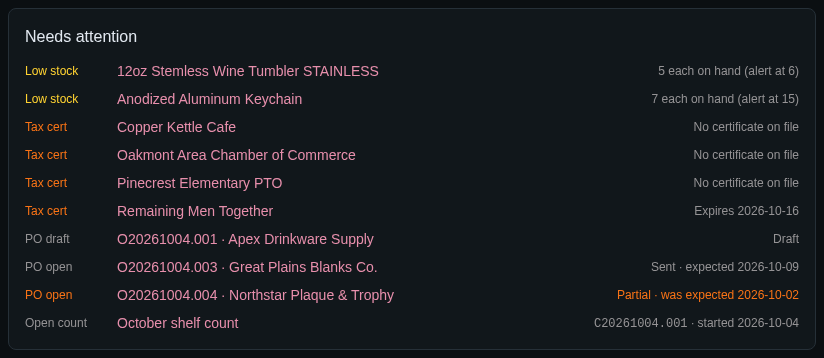
Parts that belong to modules that are turned off (for example Inventory) don't appear.